Business Emails Going to Spam? How to Fix SPF, DKIM and DMARC and Reach the Inbox
Quotes, invoices and newsletters landing in spam cost you leads and revenue. Here is how to set up SPF, DKIM and DMARC, meet Gmail and Yahoo sender requirements, and rebuild your sender reputation.
Newon Lab Team
Newon Lab
What are SPF, DKIM and DMARC?
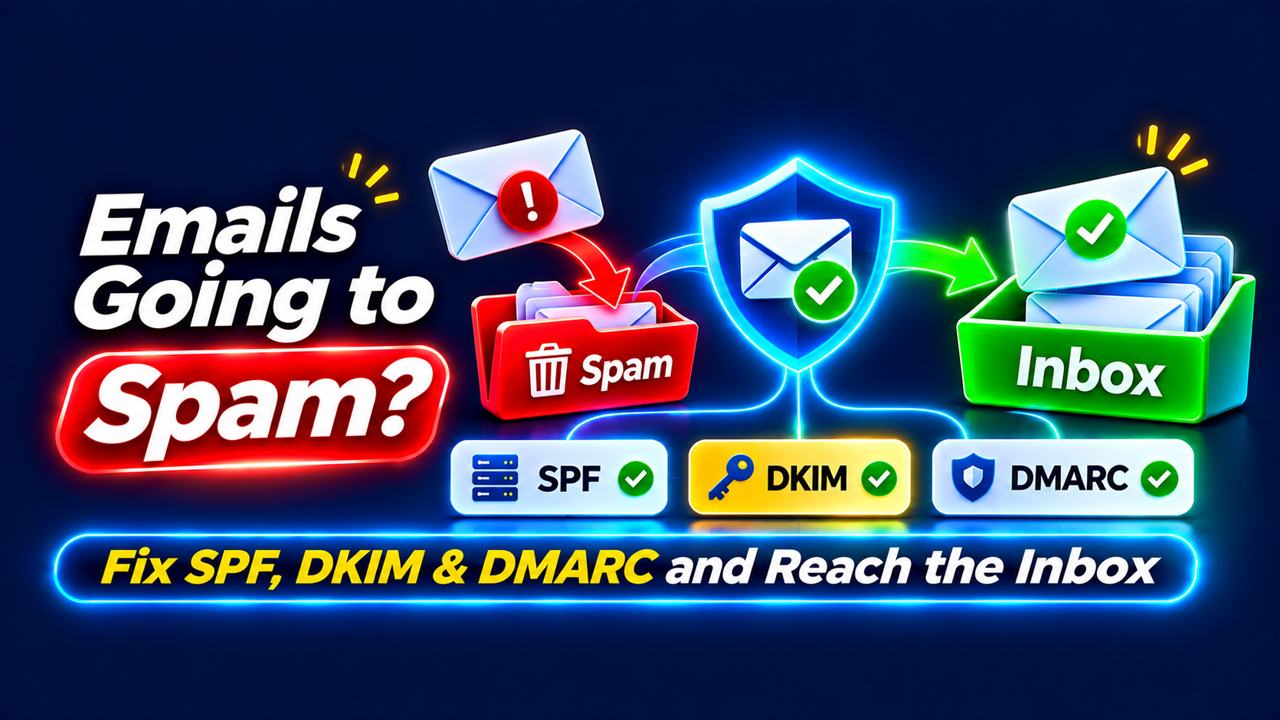
SPF lists the servers allowed to send email for your domain, DKIM adds a digital signature proving the message was not altered, and DMARC tells receiving servers what to do when SPF or DKIM fail and sends you reports.
Key takeaways
- Why business emails go to spam
- Step 1: Set up SPF
- Step 2: Turn on DKIM
- Step 3: Publish a DMARC record
- Step 4: Meet Gmail and Yahoo sender requirements
- Step 5: Clean your list and warm up gradually
- Step 6: Write emails people want
- Turn email into a lead engine
- Mistakes to avoid
- An illustrative example
You sent the quote, the invoice or the newsletter, and the customer never saw it. It went to spam. For a business, that's lost leads, late payments and wasted marketing. Inbox providers like Gmail, Outlook and Yahoo have tightened their rules, and domains that aren't set up correctly are paying the price.
Why business emails go to spam
- Missing or broken SPF, DKIM or DMARC records
- Sending from a free address (like @gmail.com) for business campaigns
- A new domain sending lots of email too fast
- Old, purchased or scraped email lists with many bounces
- Spam complaints from people who don't remember signing up
- No easy unsubscribe link
- Subject lines and content that look spammy or contain too many links and images
Step 1: Set up SPF
SPF is a DNS TXT record listing which servers can send email for your domain. You should have one SPF record that includes every service you send from: Google Workspace or Microsoft 365, your CRM, your marketing platform and your website's mail service. Multiple SPF records, or too many DNS lookups, cause failures.
Step 2: Turn on DKIM
DKIM signs each message so receivers can verify it came from you and wasn't altered. Enable it in your email provider and in each marketing or CRM tool, which will give you DNS records to publish.
Step 3: Publish a DMARC record
DMARC ties SPF and DKIM to your visible "From" domain and tells receivers what to do with failures. Start with a monitoring policy such as p=none and a reporting address, review the reports to find every legitimate sender, then move to quarantine or reject once everything passes.
Step 4: Meet Gmail and Yahoo sender requirements
Since 2024, Google and Yahoo require bulk senders to authenticate email, have DMARC in place, support one-click unsubscribe for marketing messages and keep spam complaints low. Google's sender guidelines recommend keeping the spam rate below 0.3%. Sign up for Google Postmaster Tools to monitor your domain reputation.
Step 5: Clean your list and warm up gradually
- Remove hard bounces, role addresses and contacts who haven't opened in months
- Never send to purchased lists
- Use confirmed opt-in for new subscribers
- Increase volume gradually on new domains or IPs
- Consider a separate subdomain for marketing email to protect your main domain
Step 6: Write emails people want
Clear subject lines, a recognizable sender name, relevant content, a balanced text-to-image ratio and a visible unsubscribe link reduce complaints. Segment your list so people get what they asked for.
Turn email into a lead engine
Once you're reliably reaching the inbox, automated welcome sequences, quote follow-ups and nurture campaigns become some of the highest-return marketing you can run. Connected to your CRM, every reply and click becomes a sales signal.
Mistakes to avoid
- Adding a second SPF record for a new tool instead of merging it into the existing one
- Jumping straight to p=reject before you know every service that sends on your behalf; you could block your own invoices
- Sending a big campaign from a brand-new domain on day one
- Hiding the unsubscribe link, which only pushes people to click "Report spam"
- Buying email lists, which brings bounces, spam traps and complaints
An illustrative example
Imagine a consultancy that sends proposals from Google Workspace, newsletters from a marketing platform and invoices from accounting software. Only Google is in the SPF record and DKIM is switched off in the other tools, so invoices land in spam. Merging all three senders into one SPF record, enabling DKIM in each tool, adding a DMARC record at p=none and reading the reports for a few weeks before tightening the policy gets every type of email authenticated.
Frequently asked questions
What are SPF, DKIM and DMARC?
SPF lists the servers allowed to send email for your domain, DKIM adds a digital signature proving the message was not altered, and DMARC tells receiving servers what to do when SPF or DKIM fail and sends you reports.
What do Gmail and Yahoo require from bulk senders?
Since 2024, bulk senders must authenticate with SPF and DKIM, publish a DMARC record, offer easy one-click unsubscribe for marketing email, and keep spam complaint rates low, with Google advising below 0.3%.
Why do my emails go to spam even with SPF and DKIM?
Authentication is only the start. Poor list quality, high complaint rates, sudden sending spikes, misleading subject lines or link-heavy content can still push messages into spam.
Get it fixed without the guesswork
If your emails are landing in spam or your campaigns aren't getting opened, you don't have to work through this list alone. Newon Lab's email marketing team fixes SPF, DKIM and DMARC, cleans your list, and builds automated campaigns that land in the inbox and turn subscribers into customers. Start with a free website and SEO audit, or book a free 30-minute consultation and we'll tell you exactly what's wrong and what it will cost to fix. You can also compare our transparent pricing plans before you talk to anyone.
Key facts
- Step 1
- Check your domain with a deliverability tool and Google Postmaster ToolsNewon Lab analysis
- Step 2
- Publish one correct SPF record including every sending serviceNewon Lab analysis
- Step 3
- Enable DKIM signing in your email provider and marketing toolsNewon Lab analysis
- Step 4
- Add a DMARC record starting with p=none and monitor reportsNewon Lab analysis
- Step 5
- Clean your list and remove inactive or bounced contactsNewon Lab analysis
Last verified 2026-11-02
Frequently asked questions
What are SPF, DKIM and DMARC?+
SPF lists the servers allowed to send email for your domain, DKIM adds a digital signature proving the message was not altered, and DMARC tells receiving servers what to do when SPF or DKIM fail and sends you reports.
What are SPF, DKIM and DMARC?+
SPF lists the servers allowed to send email for your domain, DKIM adds a digital signature proving the message was not altered, and DMARC tells receiving servers what to do when SPF or DKIM fail and sends you reports.
What do Gmail and Yahoo require from bulk senders?+
Since 2024, bulk senders must authenticate with SPF and DKIM, publish a DMARC record, offer easy one-click unsubscribe for marketing email, and keep spam complaint rates low, with Google advising below 0.3%.
Why do my emails go to spam even with SPF and DKIM?+
Authentication is only the start. Poor list quality, high complaint rates, sudden sending spikes, misleading subject lines or link-heavy content can still push messages into spam.
Sources
Ready to Build Something Great?
Newon Lab builds premium digital products and provides full-stack agency services that deliver real results.
Comments (2)
Excellent article! Really well explained.
This changed how our team thinks about the problem. Thank you.
Leave a Comment
About the Author
Newon Lab Team
Newon Lab Expert
Practitioner and writer at Newon Lab covering technology, architecture, and digital strategy.
Article Analytics
Need a Custom Solution?
Our team builds bespoke digital products and full-stack applications.
Get Free Consultation