Losing Leads in Spreadsheets and WhatsApp? Signs You Need a CRM and How to Choose One
If leads live in spreadsheets, notebooks and five different inboxes, some of them are slipping away. Here are the signs you have outgrown spreadsheets, how to choose between an off-the-shelf and a custom CRM, and how to switch without chaos.
Newon Lab Team
Newon Lab
What is a CRM in simple terms?
A CRM (customer relationship management) system is one shared place to store every lead and customer, track each conversation and deal stage, and remind your team what to do next.
Key takeaways
- Signs you've outgrown spreadsheets
- What a CRM fixes
- Off-the-shelf vs custom CRM
- How to switch without chaos
- Mistakes that make CRM projects fail
- Questions to ask before you choose
- An illustrative example
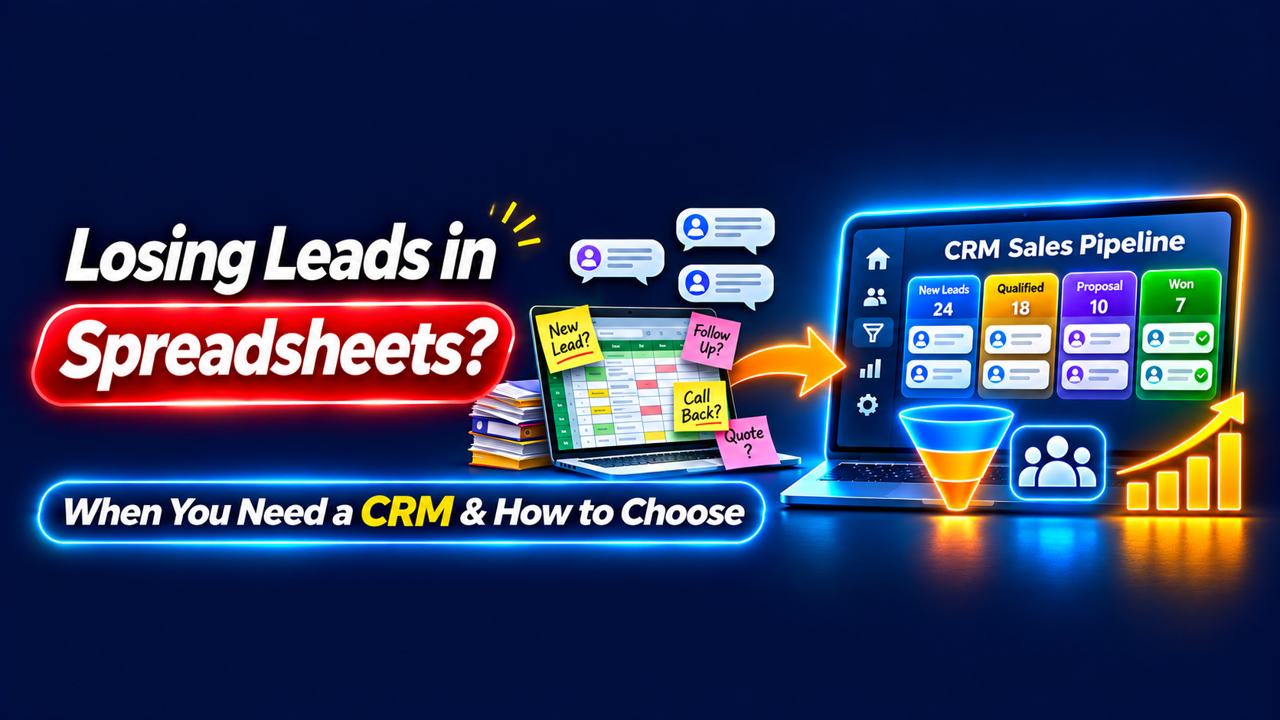
Most small businesses start with a spreadsheet. It's free, everyone knows how to use it, and it works for the first few dozen customers. Then the business grows. Leads arrive from the website, Google Ads, Instagram, WhatsApp and referrals, and suddenly no one is sure who called whom, which quote went out, or why a promising lead never heard back.
Signs you've outgrown spreadsheets
- Leads are spread across sheets, inboxes, WhatsApp chats and sticky notes
- Two salespeople contact the same customer, or nobody does
- Follow-ups depend on someone remembering
- You can't say how many leads came from each marketing channel
- You don't know your conversion rate or average deal size
- When a team member leaves, their customer history leaves with them
What a CRM fixes
- One record per customer with every call, email, message and note
- A visual pipeline showing each deal's stage
- Automatic capture of leads from forms, ads, chat and WhatsApp
- Reminders and automated follow-ups so no lead goes cold
- Reports on revenue, sources and team performance
- Permissions so staff see what they need and data stays secure
Off-the-shelf vs custom CRM
Off-the-shelf (HubSpot, Zoho, Salesforce, Pipedrive)
Quick to start, widely supported and full of features. They work well for standard B2B or service sales pipelines. The trade-offs are per-user pricing that rises as you grow, features you pay for but don't use, and workflows you have to bend your process to fit.
Custom CRM
Built around exactly how your business works: your stages, your fields, your approvals, your integrations with billing, inventory or a mobile app. It costs more upfront, but there's no per-seat fee forever and it can double as an operations system. It's a strong fit for real estate, education, healthcare, logistics, manufacturing and franchises with specific processes.
How to switch without chaos
1. Map your sales process
Write down every step from first contact to paid customer and who owns each step.
2. Clean your data
Merge duplicates, standardize phone formats and remove dead leads before importing.
3. Connect your lead sources
Website forms, landing pages, WhatsApp, Facebook and Google lead ads, and email should all create CRM records automatically.
4. Start simple, then automate
Launch with a clean pipeline and a few key reports. Then add automated follow-ups, quote templates and reminders.
5. Train the team and set one rule
"If it's not in the CRM, it didn't happen." Adoption matters more than features.
Mistakes that make CRM projects fail
- Buying the biggest plan first. Start with the features you'll use in the first three months.
- Importing messy data. Duplicates and outdated contacts make people distrust the system on day one.
- Too many required fields. If logging a call takes two minutes, people stop doing it.
- No owner. Someone has to be responsible for the pipeline, reports and keeping data clean.
- Not connecting lead sources. If people still copy leads by hand from forms and WhatsApp, the old problems return.
Questions to ask before you choose
- How many people will use it, now and in two years?
- Which tools must it connect to: website, WhatsApp, email, accounting, ads?
- Do you need a mobile app for field staff?
- Where will your data be stored, and can you export it?
An illustrative example
Imagine a real estate agency where agents keep buyer details in their own phones and spreadsheets. When an agent leaves, so do their buyers. Moving to a CRM with a shared pipeline (new enquiry, viewing booked, offer, closed), automatic capture of portal and website enquiries, and reminders for follow-up calls means the agency, not the individual, owns the relationships, and managers can finally see which listings and channels produce serious buyers.
Frequently asked questions
What is a CRM in simple terms?
A CRM (customer relationship management) system is one shared place to store every lead and customer, track each conversation and deal stage, and remind your team what to do next.
Should I choose an off-the-shelf CRM or a custom CRM?
Off-the-shelf tools like HubSpot or Zoho are quick to start and suit standard sales processes. A custom CRM makes sense when your workflow is unique, you need deep integrations, or per-user subscription costs grow too high.
How long does it take to move to a CRM?
A simple setup with imported contacts and a basic pipeline can be running in a few days. Custom builds with integrations usually take several weeks.
Get it fixed without the guesswork
If leads are slipping through spreadsheets and chats, you don't have to work through this list alone. Newon Lab sets up and customizes CRMs, or builds a custom CRM around your exact workflow, with automation that captures every lead and triggers follow-ups for you. Start with a free website and SEO audit, or book a free 30-minute consultation and we'll tell you exactly what's wrong and what it will cost to fix. You can also compare our transparent pricing plans before you talk to anyone.
Key facts
- Step 1
- Map how a lead moves from first contact to paid customerNewon Lab analysis
- Step 2
- Clean and de-duplicate existing spreadsheetsNewon Lab analysis
- Step 3
- Choose an off-the-shelf or custom CRM based on your processNewon Lab analysis
- Step 4
- Connect website forms, WhatsApp, email and adsNewon Lab analysis
- Step 5
- Import data and train the teamNewon Lab analysis
Last verified 2026-11-02
Frequently asked questions
What is a CRM in simple terms?+
A CRM (customer relationship management) system is one shared place to store every lead and customer, track each conversation and deal stage, and remind your team what to do next.
What is a CRM in simple terms?+
A CRM (customer relationship management) system is one shared place to store every lead and customer, track each conversation and deal stage, and remind your team what to do next.
Should I choose an off-the-shelf CRM or a custom CRM?+
Off-the-shelf tools like HubSpot or Zoho are quick to start and suit standard sales processes. A custom CRM makes sense when your workflow is unique, you need deep integrations, or per-user subscription costs grow too high.
How long does it take to move to a CRM?+
A simple setup with imported contacts and a basic pipeline can be running in a few days. Custom builds with integrations usually take several weeks.
Sources
Ready to Build Something Great?
Newon Lab builds premium digital products and provides full-stack agency services that deliver real results.
Comments (2)
Excellent article! Really well explained.
This changed how our team thinks about the problem. Thank you.
Leave a Comment
About the Author
Newon Lab Team
Newon Lab Expert
Practitioner and writer at Newon Lab covering technology, architecture, and digital strategy.
Article Analytics

Need a Custom Solution?
Our team builds bespoke digital products and full-stack applications.
Get Free Consultation