Website Traffic Dropped Suddenly? How to Find the Cause and Recover Your Google Rankings
A sudden drop in organic traffic is scary, but the cause is usually findable. Follow this step-by-step diagnosis, from broken tracking to Google updates, and a recovery plan that brings rankings back.
Newon Lab Team
Newon Lab
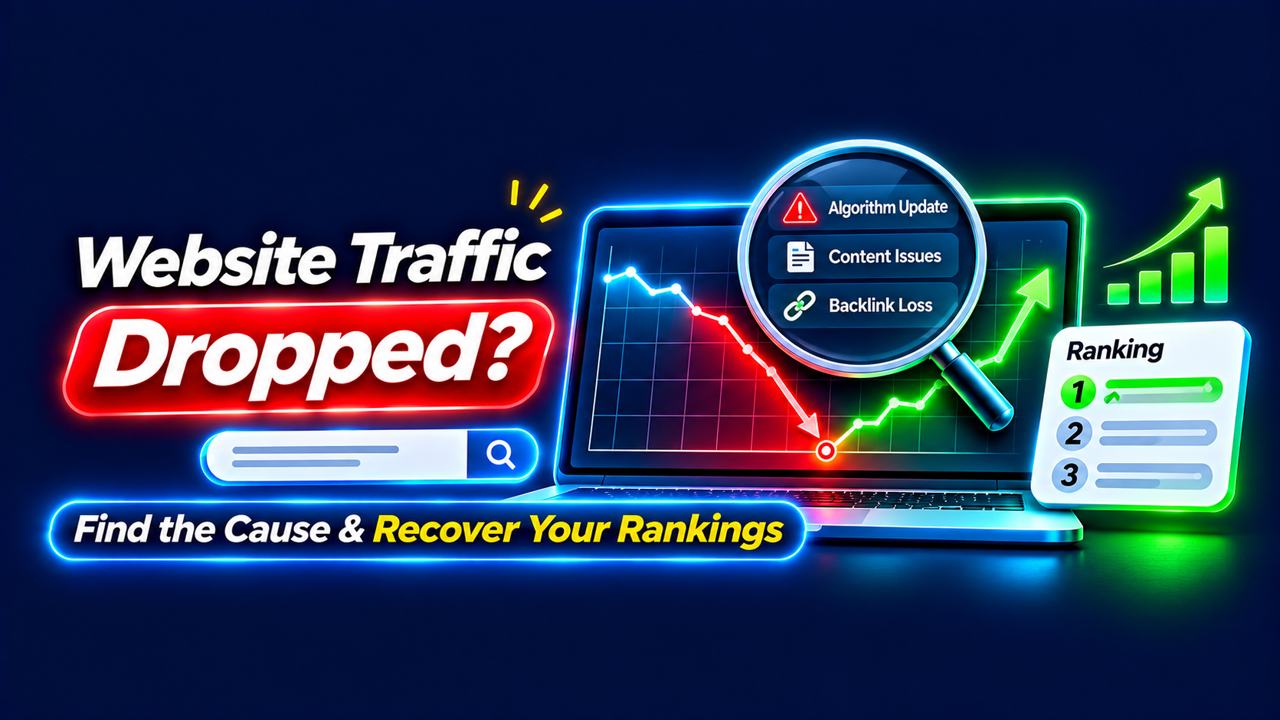
How do I know if a Google update caused my traffic drop?
Compare the date of your drop with confirmed updates on the Google Search Status Dashboard. If the timing matches and you see broad ranking changes rather than a technical error, an update is a likely factor.
Key takeaways
- Step 1: Make sure the drop is real
- Step 2: Look at Google Search Console
- Step 3: Check recent changes to your site
- Step 4: Check Google updates and seasonality
- Step 5: Check competitors and backlinks
- Your recovery plan
- Protect your traffic going forward
- Mistakes to avoid after a drop
- An illustrative example
You open your analytics and the graph has fallen off a cliff. Leads that came from Google every week have slowed to a trickle. Before you rewrite everything, take a breath: sudden drops almost always have a specific cause, and finding it is the first step to recovery.
Step 1: Make sure the drop is real
Check whether your analytics tag is still installed on every page. Theme updates, cookie banners and site rebuilds often break tracking. Compare with Google Search Console: if Search Console clicks are steady but analytics fell, it's a tracking problem, not an SEO problem.
Step 2: Look at Google Search Console
- Performance: compare clicks, impressions and average position for the period before and after the drop. Which pages and queries lost the most?
- Manual Actions: a penalty for spammy links or content is listed here.
- Security Issues: hacked content can trigger warnings and drops.
- Pages (indexing): look for spikes in "Excluded by noindex", "Blocked by robots.txt", 404s or server errors.
Step 3: Check recent changes to your site
- A redesign, new CMS or domain change without 301 redirects from old URLs
- A
noindextag or robots.txt rule left over from a staging site - Deleted or merged pages that used to rank
- Changed titles and headings on top pages
- Slower load times or broken mobile layout
- Server downtime or hosting errors
Step 4: Check Google updates and seasonality
Compare the drop date with confirmed ranking updates on the Google Search Status Dashboard. Also compare with the same period last year; some industries naturally slow down in certain months. Changes in the results page itself, such as AI Overviews or more ads, can reduce clicks even when rankings hold.
Step 5: Check competitors and backlinks
See who now ranks above you and what they offer that you don't: more depth, fresher information, better examples or a faster page. Check whether you lost important backlinks.
Your recovery plan
If it's technical
Restore redirects, remove accidental noindex rules, fix server errors, resubmit your sitemap and request indexing of key pages. Technical problems usually recover fastest once fixed.
If it's a quality or core update
- Improve the pages that lost the most with first-hand experience, original examples and clear answers
- Update outdated information and statistics
- Merge thin, overlapping pages into stronger ones
- Show who wrote the content and why they're qualified
- Improve page experience and internal linking
If it's a manual action
Fix the issue described, such as removing or disavowing unnatural links, then submit a reconsideration request explaining what you did.
Protect your traffic going forward
Monitor Search Console weekly, test every site change on staging, keep a redirect map for any URL changes, and build content around real customer questions. A regular technical audit catches problems before Google does.
Mistakes to avoid after a drop
- Changing everything at once. If you rewrite every page, change URLs and switch hosting together, you won't know what helped.
- Deleting content in a panic. Improve or merge weaker pages instead of removing pages that still bring some visitors.
- Buying links to "recover". Paid link schemes violate Google's spam policies and can lead to a manual action.
- Chasing tricks. There's no quick fix for a quality-related drop; the reliable route is genuinely better pages for your visitors.
An illustrative example
A common pattern: a business launches a redesigned website and organic traffic falls sharply within two weeks. Search Console shows many "Not found (404)" pages and fewer indexed URLs. The old blog URLs changed from /blog/post-name to /techbytes/post-name with no redirects. Mapping every old URL to its new home with 301 redirects, updating internal links and resubmitting the sitemap is the fix, and technical drops like this usually start recovering once Google recrawls the pages.
Frequently asked questions
How do I know if a Google update caused my traffic drop?
Compare the date of your drop with confirmed updates on the Google Search Status Dashboard. If the timing matches and you see broad ranking changes rather than a technical error, an update is a likely factor.
How long does it take to recover from a Google core update?
Recovery can take months. Improvements are often reflected after subsequent updates, which is why steady, genuine quality improvements matter more than quick fixes.
Can a website redesign cause a traffic drop?
Yes. Changed URLs without 301 redirects, removed content, a noindex tag left from staging, or slower pages after a redesign are among the most common causes.
Get it fixed without the guesswork
If your organic traffic has dropped and leads have slowed, you don't have to work through this list alone. Newon Lab's SEO team diagnoses traffic drops, fixes technical and content issues, and builds a recovery roadmap backed by content marketing. Start with a free website and SEO audit, or book a free 30-minute consultation and we'll tell you exactly what's wrong and what it will cost to fix. You can also compare our transparent pricing plans before you talk to anyone.
Key facts
- Step 1
- Confirm the drop is real by checking analytics trackingNewon Lab analysis
- Step 2
- Compare Search Console clicks, impressions and positionsNewon Lab analysis
- Step 3
- Check manual actions, security issues and indexing reportsNewon Lab analysis
- Step 4
- Review recent site changes, migrations and redirectsNewon Lab analysis
- Step 5
- Match the date with Google updates and seasonalityNewon Lab analysis
Last verified 2026-11-02
Frequently asked questions
How do I know if a Google update caused my traffic drop?+
Compare the date of your drop with confirmed updates on the Google Search Status Dashboard. If the timing matches and you see broad ranking changes rather than a technical error, an update is a likely factor.
How do I know if a Google update caused my traffic drop?+
Compare the date of your drop with confirmed updates on the Google Search Status Dashboard. If the timing matches and you see broad ranking changes rather than a technical error, an update is a likely factor.
How long does it take to recover from a Google core update?+
Recovery can take months. Improvements are often reflected after subsequent updates, which is why steady, genuine quality improvements matter more than quick fixes.
Can a website redesign cause a traffic drop?+
Yes. Changed URLs without 301 redirects, removed content, a noindex tag left from staging, or slower pages after a redesign are among the most common causes.
Sources
Ready to Build Something Great?
Newon Lab builds premium digital products and provides full-stack agency services that deliver real results.
Comments (2)
Excellent article! Really well explained.
This changed how our team thinks about the problem. Thank you.
Leave a Comment
About the Author
Newon Lab Team
Newon Lab Expert
Practitioner and writer at Newon Lab covering technology, architecture, and digital strategy.
Article Analytics
Need a Custom Solution?
Our team builds bespoke digital products and full-stack applications.
Get Free Consultation